Equipment
Your farm machinery, and every service it has had.
OpenAgri’s farm machinery log keeps a register of your tractors, implements and other equipment, with each machine’s make, model, purchase and hours used, and a maintenance record for every service, repair and inspection.
Sample records, no account needed.
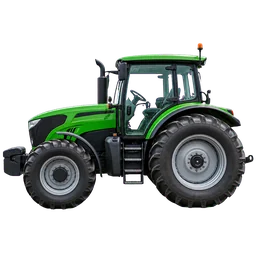 New Holland T6.180ZFRE01234Active
- Type
- Tractor
- Purchase date
- 18 Mar 2022
- Purchase cost
- £112,500.00
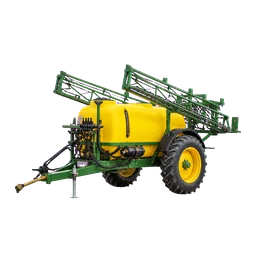 Amazone UX 4201UX42-0871In repair
- Type
- Sprayer
- Purchase date
- 4 Feb 2021
- Purchase cost
- £64,000.00
Every machine on the farm, in one register.
Add each machine with what it is, who made it, what it cost, how much it has been used and where it is kept, and see them all in one list you can search.
Machine types
Choose from 19 types, from tractors, combine harvesters and sprayers to generators and workshop tools, or type your own.
Make, model and serial number
Pick the make and model from a list of common ones, or type your own, and add the serial number and the year made.
Purchase and value
Record the purchase date, what it cost and its current value. Enter the cost in the currency you paid in.
Hours and mileage
Keep the hours used and the mileage, in kilometres or miles.
Status and sale price
Mark each machine Active, In use, Stored, In repair, Out of service, Sold or Disposed, or type your own, and add the sale price when you sell it.
Location
Say which warehouse or shed each machine is kept in.
Every service, repair and inspection.
Record each job against the machine it was for, with what was needed, what was done, who did it and what it cost.
Type of work
Choose routine service, repair, inspection, emergency or recall, or type your own.
Services required and performed
Note the services required and what was actually performed, with the record’s date and the date of the service.
Who did it, and the cost
Record who performed the work, what it cost and any remarks.
Service history per machine
Each machine’s page lists its maintenance records, which you can search, open for the full details, edit or delete.
Parts from stock, work on the calendar.
Take the spare parts, fuel or lubricants a job used out of your stock as you record it, and see the maintenance on the calendar.
Parts, fuel and lubricants
Pick the spare part, fuel or lubricant, the stock lot and the quantity used, and it is taken out of stock when you save the record.
Put the stock back
Deleting a maintenance record puts the stock it used back. The parts on a saved record are fixed, so delete it and add it again to change them.
Calendar
Each maintenance record appears on the calendar on its date, spanning to the service date when you set one, and opens from there.
A few practical questions.
Short answers to what farmers want to know before moving their records to OpenAgri.
Can I try OpenAgri before adding my own data?
Yes. Choose Try Demo Farm to explore a sample farm without creating an account.
Look through the fields, livestock and other records before setting up your own farm.
Does OpenAgri remind me when a machine is due a service?
No. OpenAgri does not set service intervals or remind you when a service is due.
A maintenance record shows what needed doing and what was done, and sits on the calendar on its dates. To plan the next service, add a task to the calendar yourself.
Is a machine linked to the field work it did?
No. A maintenance record belongs to a machine, but field operations are not linked to your machine register.
A spray record has an equipment box you type into, and it is not connected to the machines you have added.
Can OpenAgri read hours or mileage from my machine?
No. OpenAgri does not read hours or mileage from a machine or a tracker.
You enter the hours used and the mileage yourself, and change them whenever you like.
Can I record the parts and fuel a repair used?
Yes. Pick a spare part, fuel or lubricant from your stock, the lot and the quantity, and it is taken out of stock when you save the maintenance record.
The cost on the record is the figure you enter, not one worked out from the stock used. To change the parts on a saved record, delete it, which puts the stock back, and add it again.
What happens when I sell a machine?
Change its status to Sold and add the sale price. The machine stays in your register with its maintenance records.
You can also mark a machine Disposed, or Out of service while it is not in use.
Get a clearer picture
of your farm.
No account needed for the demo.
Already have an account? Sign in
OpenAgri (openagri.ai) is farm management software made by Coua Ltd.